Showing posts with label SuperPNG. Show all posts

Friday, June 27, 2014

SuperPNG 2.5

I just posted a new version of SuperPNG for your downloading pleasure. The big new feature is the Quantize checkbox, which will convert your 32-bit RGBA image into an 8-bit indexed color image with transparency. And I'm not talking about GIF-style 1-bit transparency here, but full 8-bit transparency values in the PNG color palette.

That 75% reduction in bits can really crush PNGs even more than was previously possible. Lower the quality slider to use fewer colors, which means even fewer bits and an even smaller file. This feature is powered by Kornel LesiƄski's pngquant library, and Kornel has agreed to join me as SuperPNG's co-author.

Another new feature in this version is the Clean Transparent checkbox. It turns out that your transparent pixels may have unseen colors in them that are making PNGs harder to compress, but this feature will wipe them out for you. See the manual for more details.

SuperPNG has always been free, but now it's open source as well. Check out the GitHub repository and see exactly what we're doing.

Enjoy!

Monday, October 10, 2011

SuperPNG 2.0 released

SuperPNG is the first plug-in I ever wrote. Back in 2002, Photoshop and After Effects had 16-bit color modes, but couldn't read or write a 16-bit PNG. So I set out to fill the void, learning a lot in the process.

Within a few years, Adobe filled the holes and I figured SuperPNG was destined for retirement. Working in visual effects, I also found myself no longer using a 16-bit integer format in production, preferring 16-bit float via OpenEXR. SuperPNG was all but forgotten—I didn't even have it installed myself.

But then the other day I went to save a PNG in Photoshop and noticed a glaring omission: no ICC profile support. I found it astounding that Adobe, one of the founding members of the ICC, had overlooked it in PNG. Time to dust off SuperPNG.

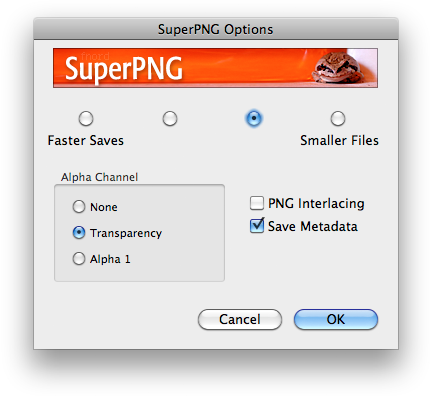
And then I have also gotten so accustomed to being able to control alpha channels in ProEXR EZ, I decided I had to add that feature to SuperPNG. So now the options dialog lets you choose between using transparency or the channels palette as the source for your alpha. Hold down shift when opening a PNG, and you get an import options dialog as well, letting you direct that alpha however you wish.

For more information, see the PDF manual, also new in this version. Quite an update for a free plug-in!

Enjoy!